

Matcha Filter Remover Online
Remove or reduce matcha and green color filters from photos online. Process images locally in your browser, compare the result, and download a more natural-looking version.
Quick answer
Unfilter is a free online matcha filter remover that reduces green color casts from photos in your browser. Upload an image, adjust the correction strength and warmth, compare the Before/After result, and download a more natural-looking version without sending the image to a server.
MATCHA FILTER REMOVER
Remove a Matcha Filter
Choose a photo to reduce its green or matcha color cast. The image is processed locally in your browser.
Supported formats: JPG, PNG, WebP · Max 10 MB · Processed locally in your browser
HOW IT WORKS
How the Matcha Filter Remover Works

01
Upload your photo
Choose a JPG, PNG, or WebP image from your device.

02
Adjust the color cast
Use Strength and Warmth to reduce unwanted green and matcha tones.

03
Compare and download
Review the Before/After result and download the version you prefer.
What Unfilter Can and Cannot Fix
What it can reduce
- Green and matcha color casts
- Yellow-green tint
- Mild color imbalance
- Some haze caused by a strong color cast
What it cannot restore
- Hidden details
- Painted-over or censored areas
- Original pixels that no longer exist
- Exact original colors in every photo
- Details removed before the image reached Unfilter
See how matcha filter removal changes a photo
Drag the slider to compare a matcha-filtered photo with the corrected result.
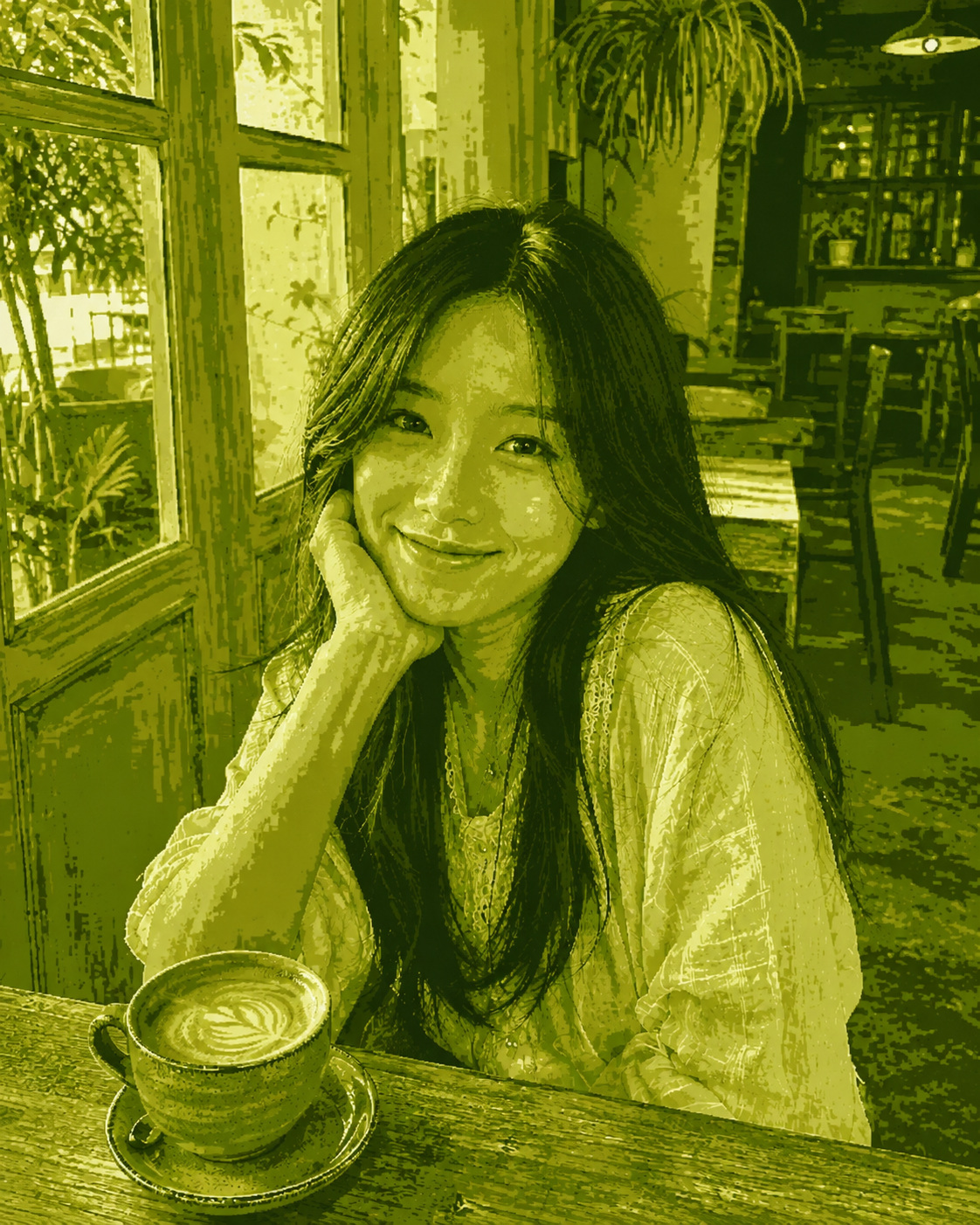

Why results vary
Unfilter is designed to reduce visible green and matcha color casts. It does not reconstruct hidden details, recover painted-over content, or guarantee the exact colors of the original image.
If a photo contains natural plants, green clothing, grass, or green lighting, some green may remain so the image does not look unnaturally neutralized.
Results depend on the original lighting, colors, filter strength, image compression, and the amount of natural green already present in the photo.

Your Photo Stays in Your Browser
Unfilter processes your image locally in your browser. Your photo is not uploaded to our servers, stored in an account, or used to train a model.
 No uploadNo sign-up
 No image storage
FAQ
Frequently asked questions
Learn more about fixing green photos
What Is a Matcha Filter? Green Photo Trend Explained
A matcha filter adds a green or yellowish-green color cast to photos. Learn how it works and why removing it does not restore the original pixels.
How to Remove a Green Filter from a Photo
Green filters can come from apps, presets, or lighting. This guide shows how to reduce the green cast while preserving natural colors.
How to Remove Green Tint from a Selfie
Green filters can make skin look unnatural in selfies. Learn how to adjust Strength and Warmth for natural-looking results.